Ask most small business owners what their POS system does, and you’ll get some version of “it rings people up.” That answer was accurate a decade ago. In 2026, if that’s still the ceiling of what your POS does for you, it means a person on your payroll is doing work a machine already paid for could be doing instead.
That’s not a hardware problem. It’s an underuse problem — and it’s one of the most common, least visible sources of wasted labor in small businesses today.
The Manual Tasks Hiding in Plain Sight
- End-of-day sales counts manually tallied or re-typed into a report.
- Inventory counts done by physically walking the floor and writing numbers down, rather than the system tracking stock as it sells.
- Bookkeeping entry — sales, tips, and taxes manually re-keyed into accounting software instead of syncing automatically.
- Employee scheduling and hours tracked in one tool while sales happen in another, with someone reconciling the two.
- Customer follow-up — repeat customers or loyalty tracking done from memory or a paper punch card instead of a system that flags them automatically.
- Multi-location reporting built by combining spreadsheets from each site instead of a single dashboard.
None of these are big, dramatic problems on their own. That’s exactly why they survive — each one looks like “just a few minutes,” and a few minutes a day, multiplied across every task and every shift, adds up to hours of paid labor spent re-doing work a modern POS is built to handle natively.
Why This Keeps Happening
Business automation isn’t optional anymore, and most owners already know that in the abstract. But POS systems specifically get treated differently than other software — bought once, set up once, and never revisited. The result: businesses are often running 2015-era workflows on top of 2026-era hardware, because nobody went back and asked what the system is actually capable of now versus what it was used for on day one.
There’s also a quieter reason: automating a task feels like it requires a project, a consultant, or a system overhaul. In reality, most of what’s listed above is a feature that’s likely already included in your existing POS plan — inventory tracking, reporting, and accounting integrations are standard on most modern platforms. The barrier usually isn’t cost or capability. It’s that nobody turned the feature on.
What “The POS Doing the Work” Actually Looks Like
- Inventory that tracks itself. Every sale automatically adjusts stock counts in real time, active and inactive items are flagged without a manual walk-through, and low-stock alerts replace someone noticing an empty shelf after the fact.
- Bookkeeping that syncs, not re-types. A direct QuickBooks integration means sales, taxes, and tips land in your books without anyone manually transferring numbers between two systems — and without the transcription errors that come with it.
- One dashboard, not five spreadsheets. Multi-location businesses can see sales, staffing, and inventory across every site from a single view instead of stitching together reports after the fact.
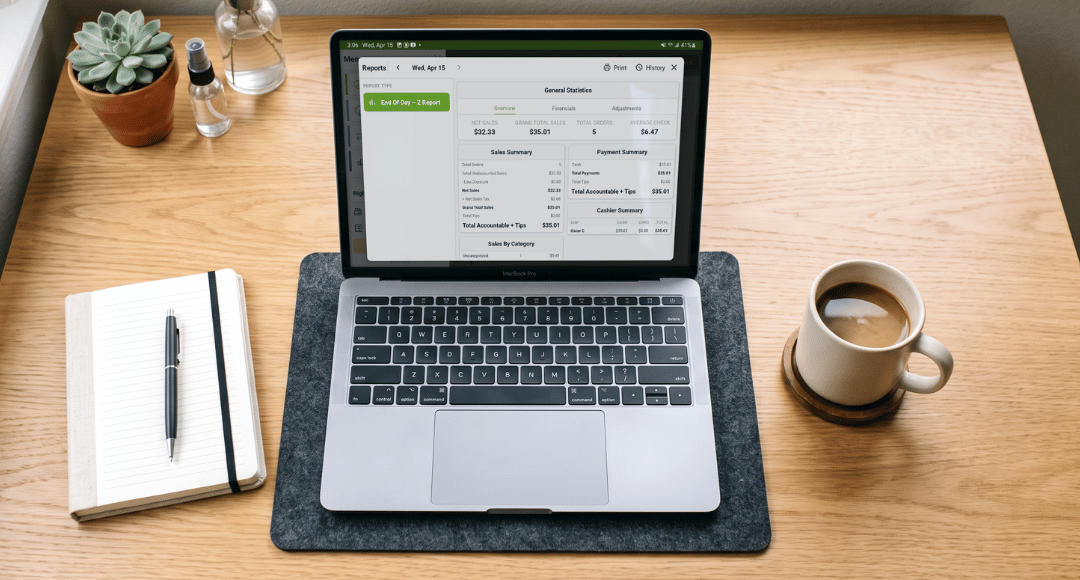
- Reporting that’s already built. Gross sales, net profit, tips, and tax breakdowns generated automatically instead of assembled by hand at the end of the week or month.
- Employee management that lives where the sales happen. Scheduling, performance, and availability tracked inside the same system that’s ringing up transactions, instead of a separate tool nobody keeps updated.
The Real Cost of Skipping This
The cost of manual workarounds doesn’t show up as a line item — it shows up as a staff member’s time, quietly redirected from serving customers to re-entering numbers a system already has. For a small business running lean, that’s often the most expensive resource in the building being spent on the least valuable task in the building.
Flip that, and the same hours go toward the things a system genuinely can’t do: greeting a regular customer by name, upselling in the moment, solving a problem on the floor. The system handles the repetitive layer so the person handles the human layer — which is the only order that actually makes sense.
A Quick Audit to Run This Week
Pick three recurring tasks your team does by hand right now — inventory counts, bookkeeping entry, and reporting are a good starting trio — and check your current POS’s settings or feature list for each one. If the feature already exists and simply isn’t turned on, that’s a five-minute fix with real payback. If it genuinely doesn’t exist on your current platform, that’s a sign it may be time to look at what a fuller platform offers instead of adding another disconnected app to the stack.
Delta1st POS is built around this idea directly: scalable inventory tracking (up to 10,000 products), QuickBooks integration, multi-location management, employee scheduling, and full analytics and reporting are part of the core platform — not bolt-ons you have to hunt down or pay extra to unlock.
Curious what your current setup is leaving on the table? Talk to Delta1st about a system that’s built to do more than ring up sales.