Table of Contents
1. Pre-Delivery Steps #
- Obtain Terminal DID:
- Retrieve the terminal DID from the “Welcome to Woodforest” email.
- Send Activation Email to Merchant:
- Include the following:
- Login Credentials
- Subdomain
- Terminal DID
- Include the following:
2. Terminal Setup Upon Delivery #
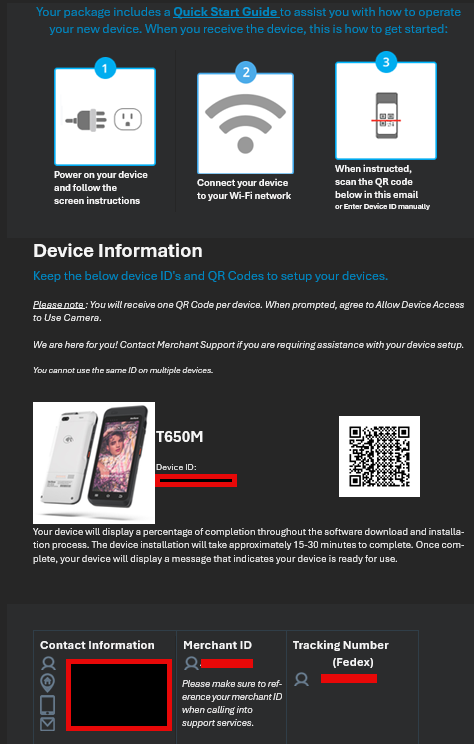
- Unbox and Charge the Terminal:
- Instruct the merchant to remove the terminal from the box and begin charging the device.
- Power On the Device:
- Use the power button located on the left-hand side.
- Connect to WiFi:
- Select the preferred internet network and enter the password to connect.
- Enter DID:
- Select “Enter DID” on the terminal and input the DID from the welcome email.
- Allow 5-10 minutes for updates to complete.
3. Subdomain and PIN Setup #
- Enter Subdomain:
- Retrieve the subdomain from the Delta 1st CRM and input it into the terminal.
- Create Merchant PIN:
- Use the boarding process to create a PIN for the merchant.
- Log in as Merchant:
- Use the support PIN created during the boarding process to log in.
- Set Merchant PIN:
- Navigate to:
- Settings > Users/Employees
- Click the edit icon next to the merchant user account.
- Set a new PIN.
- Instruct the merchant to log in using the new PIN.
- Navigate to:
4. Running a Test Transaction #
- Create a Test Order:
- For Food Transactions:
- Use the Create Order option.
- For Service and Retail Transactions:
- Use the POS option.
- For Food Transactions:
- Input Transaction Details:
- Press the + MISC button.
- Enter an amount and add it to the cart.
- Complete the Transaction:
- Check out and press Charge Amount.
- For Cash Payments:
- Click Tendered Amount and enter the cash received.
- Finish the sale.


